Microsoft Fixes 1,094 Security Flaws in November Update, Including Exploited Outlook Zero-Day
Microsoft has released its November 2026 security updates, addressing 1,094 vulnerabilities across its products. Among the fixes is an actively exploited Microsoft Outlook zero-day that could expose users' authentication information when they open a specially crafted file.
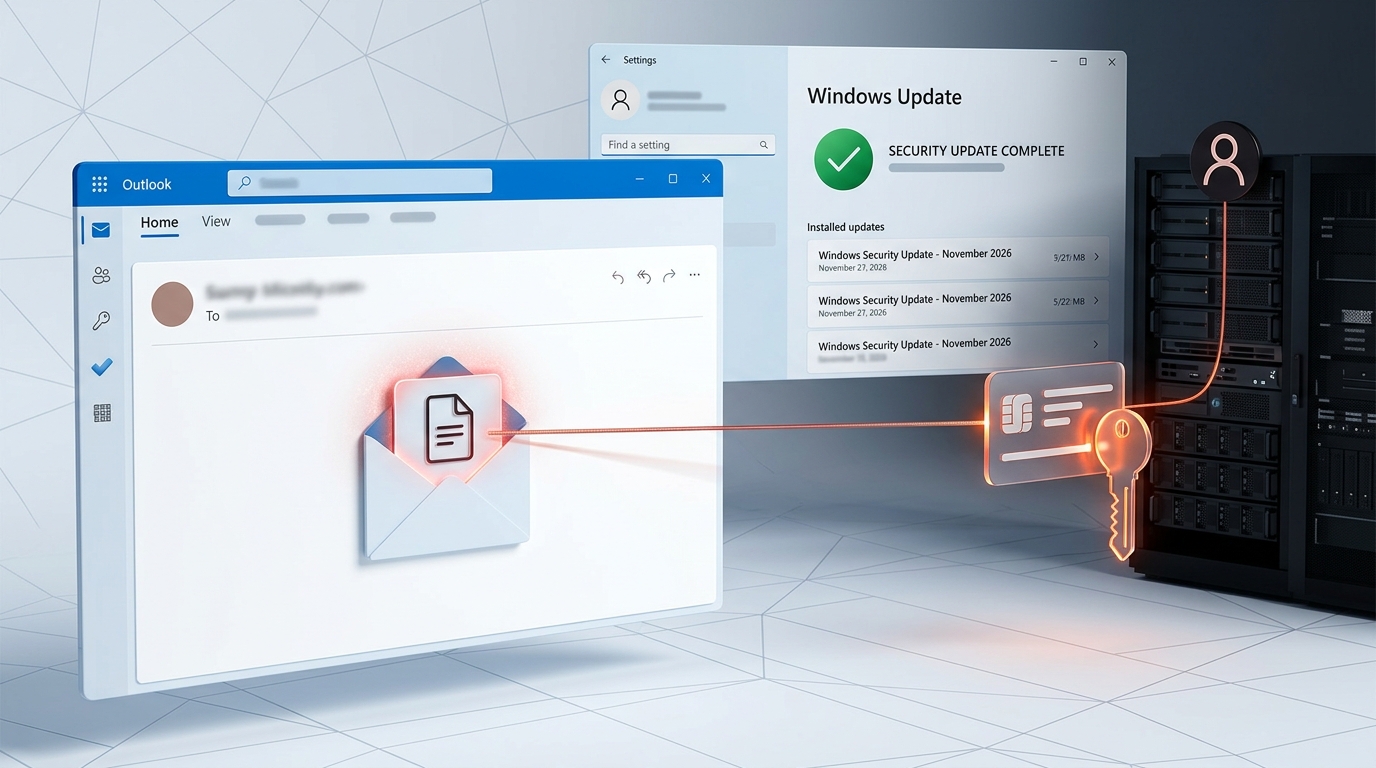
Microsoft has released its November 2026 security updates, addressing 1,094 vulnerabilities across its software products. However, one particular flaw deserves immediate attention: a vulnerability in Microsoft Outlook that the company has confirmed is being actively exploited.
The security issue, identified as CVE-2026-124194, could allow attackers to obtain sensitive authentication information from users who open a specially crafted file in an affected version of Outlook.
The November release covers several Microsoft product families, including Windows, Office, SQL Server, SharePoint Server, Exchange Server and Azure. Windows accounts for the largest share, with 726 vulnerabilities addressed in this month's release.
For everyday users and businesses that depend on Microsoft's software, the update is an important reminder that keeping applications current is a critical part of maintaining digital security.
An Outlook vulnerability is already being exploited
The most concerning issue in Microsoft's November security release affects Microsoft Outlook.
Tracked as CVE-2026-124194, the vulnerability is classified as a spoofing flaw. Microsoft has marked it as having exploitation detected, meaning the company is aware that attackers have used it in real-world attacks.
The vulnerability involves how Outlook handles certain specially crafted message files.
According to Microsoft's advisory, an attacker could send a malicious file and persuade a user to open it. When that happens, Outlook could connect to a network location controlled by the attacker without displaying its usual external-content warning.
That connection could expose authentication information, including an NTLM password hash, which attackers may attempt to use to impersonate the affected user.
It is important to understand that this does not mean simply receiving an ordinary email automatically compromises an account. The described attack requires the victim to open a specially crafted file.
Microsoft has assigned the vulnerability a Moderate severity rating, with a CVSS score of 6.5. However, the fact that exploitation has already been detected makes it a priority for affected users and IT administrators.
What is NTLM credential exposure?
NTLM is an authentication protocol used in Windows environments to verify user identities when accessing certain network resources.
When a Windows device attempts to authenticate with a remote server, it may provide an NTLM challenge-response value. Although this is not the user's plain-text password, attackers who obtain the authentication material may attempt to crack it or use it in further attacks.
If successful, this could potentially give an attacker access to resources associated with the affected account, depending on the account's permissions and the organization's security controls.
For businesses, the potential impact extends beyond an individual Outlook installation. A compromised account may provide a starting point for further attempts to access internal systems.
This is why the Outlook vulnerability deserves attention despite its Moderate severity rating.
More than 1,000 vulnerabilities addressed
The Outlook issue is only one part of Microsoft's November security release.
According to Microsoft's Security Update Guide, the November release addresses 1,094 Microsoft CVEs across nine product families.
The reported distribution includes:
- Windows: 726 vulnerabilities
- Office: 174 vulnerabilities
- SQL Server: 59 vulnerabilities
- Developer Tools: 53 vulnerabilities
- SharePoint Server: 27 vulnerabilities
- Other products: 25 vulnerabilities
- Azure: 20 vulnerabilities
- Exchange Server: 9 vulnerabilities
- Defender: 1 vulnerability
The release also includes information about 165 non-Microsoft vulnerabilities republished through Microsoft's Security Update Guide. These are separate from the 1,094 Microsoft CVEs.
The number of vulnerabilities addressed does not mean every Windows computer is exposed to all of them. Each issue affects particular products, versions or configurations.
Nevertheless, the figures demonstrate the scale of security maintenance required across a modern software ecosystem.
Why Windows users should pay attention
Although the Outlook zero-day is the most prominent issue in this release, Windows users should not overlook the wider security updates.
Microsoft's November release includes fixes for vulnerabilities affecting Windows components. Some security flaws can potentially allow attackers to execute malicious code, gain elevated privileges or access information they should not be able to obtain.
For home users, keeping Windows updated helps reduce exposure to known security weaknesses.
For businesses, the responsibility is broader. IT teams need to identify affected systems, assess their exposure and deploy the appropriate updates across computers, servers and applications.
Organizations should pay particular attention to systems that handle sensitive information, support multiple users or provide access to internal business resources.
How to install the November security updates
Windows users can check for available security updates through Windows Update.
Follow these steps:
- Open Settings on your Windows computer.
- Select Windows Update.
- Click Check for updates.
- Install the available security updates.
- Restart your computer if Windows requests it.
For Microsoft 365 Apps and standalone Office installations, users should also make sure their Office applications are receiving the latest security updates.
Businesses managing multiple devices should consult Microsoft's Security Update Guide to identify the relevant fixes for their deployed products and versions.
What users should do beyond installing updates
Installing security updates is essential, but it should not be the only security measure.
Users should avoid opening unexpected attachments, particularly files they were not expecting to receive. Messages that create urgency or ask recipients to open unfamiliar files deserve extra caution.
Organizations should also review their authentication security, limit unnecessary NTLM usage where practical, and monitor suspicious network authentication activity.
Businesses that rely heavily on Outlook should confirm that the relevant security updates have reached all affected installations rather than assuming that updating a few computers is sufficient.
Final thoughts
Microsoft's November 2026 Patch Tuesday is another significant security release, but the actively exploited Outlook vulnerability makes this month's update particularly important.
CVE-2026-124194 shows how an apparently ordinary action, such as opening a specially crafted file, can trigger a security issue with consequences beyond the application itself.
Users should install the applicable security updates, while businesses should prioritize affected Outlook installations and review their wider Windows and Office security posture.
Keeping software updated may not prevent every cyberattack, but leaving known and already exploited vulnerabilities unpatched creates risks that could otherwise be reduced.
Windows 11 November 2026 Update: Custom Right-Click Menus and Cloud Rebuild Explained
Next Dispatch →Google Cloud Launches NVIDIA Vera Rubin AI Infrastructure: What It Means for Businesses
Discussion (0)
Technical commentaryLeave a Reply
No comments yet. Be the first to share your thoughts!